Reminderly.ai vs Tasks.Bot for AI Task Automation Cloud Sync
You need task automation that syncs across cloud tools without losing WhatsApp threads. Most teams juggle three apps to assign work, chase updates, and verify field attendance. That fragmentation costs hours every week.
This article compares Reminderly.ai and Tasks.Bot for AI task automation cloud sync. You will see how Tasks.Bot handles voice note task creation, smart reminders, GPS tracking, and face-verified attendance, plus pricing and who each tool fits best.
What Is Tasks.Bot?
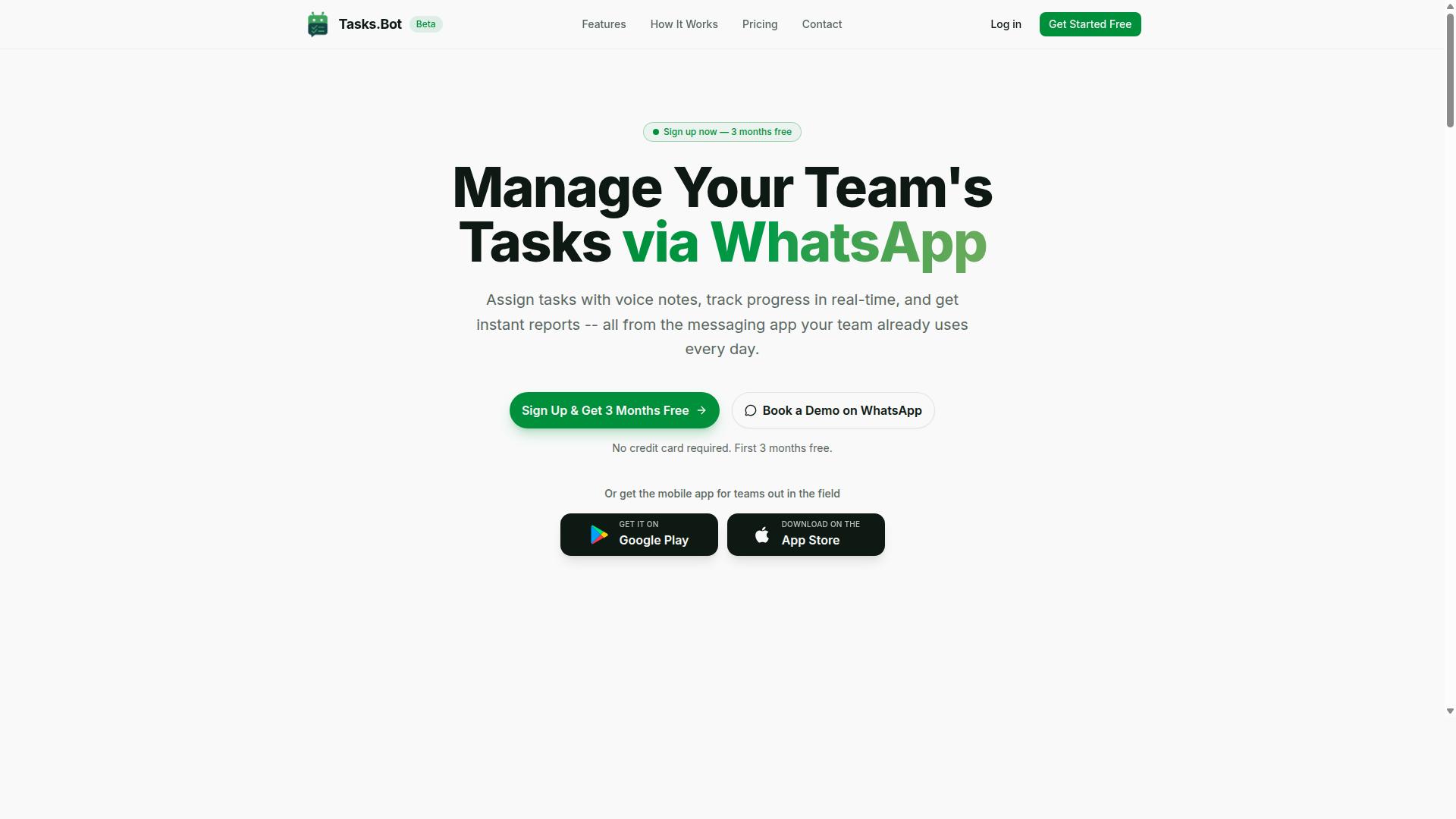
Tasks.Bot is a task management platform that operates entirely within WhatsApp, enabling teams to assign tasks, track progress, and receive reports without leaving the messaging app.
That design choice matters. Instead of asking workers to download yet another app, remember a password, and check a dashboard, Tasks.Bot meets people where they already spend their day: the chat thread.
Tasks.Bot also offers a mobile app for field teams, so staff who are on the move can still stay connected to the same workflow. The service is currently in beta and offers a free trial period, which gives new users a low-risk way to see whether the WhatsApp-first model fits their operation.
For anyone comparing AI task automation tools, the key distinction is architecture. Many platforms treat chat as an add-on notification channel bolted onto a web dashboard. Tasks.Bot treats the conversation itself as the workspace. Tasks, updates, and reports all live in the same place the team already talks.
Who Tasks.Bot Serves and How It Works
Tasks.Bot is designed for teams that rely on WhatsApp for communication, particularly those with field staff who need to manage tasks, track attendance, and generate payroll-ready hours.
That audience is specific, and it shapes everything about the product. A construction crew, a cleaning service, a delivery operation, or a maintenance team rarely sits at a desk. Their work happens on-site, and their coordination already happens in chat groups.
Tasks.Bot fits that reality in a few practical ways:
- Tasks are created and managed within WhatsApp, so assignment and follow-up happen in a familiar thread.
- No new accounts are needed for team members to participate, which removes a common adoption barrier.
- A mobile app supports field operations, covering workers who need more than the chat interface alone.
- Attendance tracking and payroll-ready hours sit alongside task management, connecting daily work to back-office needs.
The site mentions that hundreds of teams already use the service. That is a meaningful signal for a product still in beta: real teams are running real workflows through it, not just testing a demo.
For teams weighing AI task automation options, the appeal is straightforward. A chatbot assistant inside WhatsApp reduces training time, lowers the chance that tasks get lost in a separate system, and keeps managers and field staff looking at the same information. The free trial period makes it easy to evaluate whether that approach suits a given team before committing.
Reminderly.ai vs Tasks.Bot for AI Task Automation Cloud Sync: The Verdict
When comparing Reminderly.ai and Tasks.Bot for AI task automation and cloud sync, the choice hinges on your team's existing communication tools and workflow preferences. Both platforms aim to reduce the friction of capturing tasks and keeping them synchronized, but they approach the problem from different angles. One leans toward broad cross-device reach. The other builds everything around a single messaging app your team already uses every day.
Reminderly.ai's appeal tends to center on cross-device synchronization and integrations. Teams that already run their operations across a calendar, a project board, and a chat tool often want a reminder app that connects to that wider stack. For those users, the value is breadth: tasks flow between devices and plug into the other software they rely on. If your workflow automation depends on linking several services together, that kind of reach matters.
Tasks.Bot takes a narrower and, for many teams, more practical path. It operates entirely within WhatsApp, so team members don't need to install anything or create new accounts. That single decision removes a common adoption barrier, because the tool lives where conversations already happen rather than asking people to adopt yet another app.
The AI layer is where Tasks.Bot stands out for everyday use. It uses natural language processing to understand ordinary messages and voice notes for task creation. A team member can speak a task out loud instead of typing it into a structured form, which fits the way people actually communicate on a messaging platform.
For teams with people in the field, Tasks.Bot adds capabilities that a general reminder app typically does not cover. It offers face-verified attendance and live GPS tracking for field staff, tying task management to real-world presence. That combination suits operations where knowing who is where matters as much as knowing what needs doing.
Security is another deciding factor. Tasks.Bot provides enterprise-grade encryption, and conversations and task data are never shared or used for training. For organizations handling sensitive client or staff information, that commitment can outweigh a longer list of third-party connections.
Cost of entry is also worth weighing. Tasks.Bot offers a 3-month free trial with no credit card required, which gives a team room to test whether WhatsApp-native automation fits before committing. That is a low-risk way to judge the platform against your real workflow rather than a demo.
So which one wins? If your team lives in WhatsApp and wants fast, low-friction task capture through text and voice, Tasks.Bot is the stronger fit. If your priority is stitching together a wide set of external tools and syncing across many devices, Reminderly.ai may suit you better. Match the tool to how your team already works, and the verdict becomes clear.
How Tasks.Bot Handles AI Task Automation and Cloud Sync
Tasks.Bot leverages AI to interpret natural language and voice notes, automating task creation and synchronization across devices via its cloud infrastructure. Rather than asking teams to adopt yet another dashboard, it works inside WhatsApp, a messaging app most people already open dozens of times a day.
The platform combines AI task automation with cloud sync so that a task created on one device appears everywhere else without manual copying. Messages, assignments, deadlines, and status changes stay consistent across phones, tablets, and the web.
That matters for teams spread across locations or shifts. When updates flow in real time, managers stop chasing status reports and employees stop juggling separate to-do lists. The result is a single, shared view of who is doing what, and by when.
Tasks.Bot also ships Android and iOS apps with push notifications, voice capture, and a home screen widget, giving users a native mobile fallback when they step away from chat. The rest of this section breaks down the two engines behind the experience: how tasks get created, and how deadlines stay on track.
Natural Language and Voice Note Task Creation
Tasks.Bot's AI engine understands natural language and voice notes, allowing users to create tasks by simply sending a WhatsApp message like "Remind John to submit the report by Friday." The AI parses the intent, identifies the person, the action, and the deadline, then creates the task automatically.
No new app installation is required. Users type or speak in plain language, and the system handles the structure. Examples of text commands include:
- "Assign the vendor follow-up to Priya, due tomorrow at 5 PM."
- "Create a task for the design review next Monday."
- "Remind the warehouse team to log stock counts every evening."
Voice notes work the same way. A user can record a short audio message, and Tasks.Bot's AI interprets the spoken request and turns it into an assigned task with a deadline. This is especially useful for field staff, drivers, or anyone whose hands are busy.
Because the AI relies on natural language processing, there is no rigid command syntax to memorize. Users do not need to learn a new interface or train a chatbot assistant. They just describe what needs to happen, and Tasks.Bot converts it into a structured item.
This approach lowers the adoption barrier significantly. Team members who resist traditional project management tools often accept a system that lives inside a chat app they already use daily. Task creation becomes a byproduct of normal conversation rather than a separate administrative chore.
Smart Deadline Reminders and Automations
Tasks.Bot automates deadline tracking by sending smart reminders and handling recurring tasks, ensuring nothing falls through the cracks. Rather than relying on people to remember due dates, the system pushes notifications before deadlines and escalates overdue items.
Recurring tasks are set up once and then repeat automatically. Common examples include daily stand-up reminders, weekly report submissions, monthly compliance checks, and shift handover notes. Each cycle triggers fresh reminders without anyone re-entering the task.
Beyond reminders, Tasks.Bot supports approvals and automations. When a task reaches a certain status, the system can trigger the next action in a sequence. A submitted expense claim, for instance, can move to a manager for approval before it is marked complete.
The platform also includes instant reports, tasks on a map, a live day tracker, face-verified attendance, and shifts, leave, and hours management. These features extend the same automation logic to workforce coordination, not just individual to-do lists.
For teams comparing options, the value of workflow automation lies in consistency. A reminder app nudges one person. An automated system keeps an entire team aligned on deadlines, approvals, and recurring obligations without manual follow-up.
Key Features That Set Tasks.Bot Apart
Tasks.Bot distinguishes itself with features built specifically for WhatsApp-centric teams, including instant reports and robust field team tools. Instead of asking people to learn a new dashboard, it meets them in the messaging app they already open dozens of times a day.
That choice shapes everything about the product. Task creation, status updates, and reporting all happen in chat, which means adoption friction stays low and the tool fits the way many teams already coordinate work.
Two capability groups stand out most for teams comparing AI task automation options. The first covers everyday task management and reporting inside WhatsApp. The second targets field staff who need location and attendance verification rather than desk-based collaboration.
Tasks.Bot also offers Android and iOS apps with push notifications, voice capture, and a home screen widget, so the same workflow extends beyond the chat window when needed. Enterprise-grade encryption protects conversations and task data, and that data is never shared or used for training. A 3-month free trial with no credit card required lets teams evaluate the fit before committing.
The sections below break down what each of these features actually does and why it matters for teams weighing AI task automation with cloud sync.
WhatsApp-Native Task Management and Instant Reports
Tasks.Bot operates entirely within WhatsApp, enabling teams to assign tasks, update statuses, and generate instant reports without switching apps. There is nothing to install and no new account to create, which removes the usual onboarding hurdle that slows down tool rollouts.
The platform uses AI to understand natural language and voice notes. A manager can describe what needs doing in a normal message or a quick voice recording, and the system interprets the intent to create the task. That is natural language processing applied to everyday chat, not a rigid command syntax people have to memorize.
Once tasks exist, the workflow stays conversational. Team members update progress by replying in the same thread, and smart deadline reminders keep items from slipping. Automatic task assignment routes work to the right person, while approvals and automations handle the sign-off steps that would otherwise live in email.
Reporting is where the WhatsApp-native approach pays off. Instant reports show completion rates and task status without anyone exporting a spreadsheet or building a dashboard. For teams that treat a to-do list as something they check once a day, this turns task management into a continuous, low-effort habit.
- Voice note task creation
- Automatic task assignment
- Smart deadline reminders
- Approvals and automations
- Instant reports
- Live day tracker
Field Team Tools: GPS Tracking and Face-Verified Attendance
For field teams, Tasks.Bot offers GPS tracking and face-verified attendance, ensuring accurate location data and payroll-ready hours. These are the features that matter most when staff work off-site and a manager cannot see who is where.
Live GPS tracking gives visibility into field activity, and tasks on a map connect work items to physical locations. Face-verified attendance handles clock-in and clock-out, which reduces the ambiguity of buddy punching or manual sign-in sheets.
Hours flow into shifts, leave, and hours management, so the same system that tracks attendance also supports payroll preparation. Rather than reconciling paper timesheets, managers work from records captured at the moment of check-in. The result is payroll-ready hours calculated automatically instead of reconstructed after the fact.
These tools are accessible through the mobile app and work together with WhatsApp for reporting, so field staff get the same chat-based experience as everyone else. A supervisor can review attendance and location updates alongside task progress in one place.
For teams weighing AI task automation with cloud sync, this combination matters because field data is often the hardest to keep current. When attendance, location, and task status update in real time, cross-device synchronization stops being an administrative chore and becomes a byproduct of normal work.
Pricing and Plans
Tasks.Bot offers a single 'Full Access' plan with all features included, priced at ₹200 per member per month or ₹1,200 per year per member, with options in both Indian Rupees and US Dollars. That one-tier structure keeps the decision simple for anyone comparing it with a reminder app or scheduling tool that hides core capabilities behind multiple upgrade levels.
Because every capability sits in the same plan, there is no guesswork about which tier unlocks AI task automation or cloud sync. Teams and individuals get the same package, whether they run a personal to-do list or a shared project management workspace.
Pricing is per member, so the total scales with the size of the group using it. A solo user pays for one seat, while a small team multiplies the same rate across each person who needs access.
The table below summarizes the two billing cycles available.
| Plan | Billing Cycle | Price | Notes |
|---|---|---|---|
| Full Access | Monthly | ₹200 per member per month | All features included |
| Full Access | Annual | ₹1,200 per year per member | Save 50%, save ₹1,200 per year per member |
The annual option works out to roughly half the monthly rate over a full year. For anyone confident they will keep using task management and workflow automation long term, the yearly plan lowers the effective cost per member.
Currency is selectable. The site states 'Select currency' with options for Indian Rupee and US Dollar, so buyers outside India should confirm the correct option before completing checkout.
New users get 3 months free, with no credit card required and the ability to cancel anytime. That trial window lets someone test cross-device synchronization and real-time updates across their own devices before paying.
Tasks.Bot is currently in beta. Beta status can mean the product is still evolving, so pricing and plan terms are worth verifying directly on the site before purchase.
For readers weighing this against a virtual assistant or chatbot assistant subscription, the flat per-member rate is straightforward to compare. There are no add-on tiers or feature gates to factor into the math, which makes budgeting easier for both individuals and small teams.
Who Should Use Tasks.Bot
Tasks.Bot is ideal for teams that already use WhatsApp as their primary communication tool, especially those with field staff who need task management, attendance tracking, and payroll-ready hours. The platform meets people where they already are instead of asking them to adopt yet another app.
That distinction matters more than it might seem. Most productivity software assumes a desk, a laptop, and the patience to learn a new interface. Tasks.Bot assumes a phone in one hand and a job site, a delivery route, or a customer meeting in front of the user.
The site notes that hundreds of teams already use the service, which suggests the WhatsApp-first approach resonates well beyond a single industry. Below are the groups that tend to get the most value from it.
Small and medium businesses are a natural fit. These organizations rarely have the budget or the appetite for a heavy project management rollout, and they often coordinate through group chats already. Tasks.Bot slots into that existing habit rather than replacing it, which keeps adoption friction low and avoids the cost of training an entire staff on unfamiliar software.
Field service teams benefit most from the combination of task management, attendance tracking, and payroll-ready hours. A supervisor can assign work and later confirm who showed up and how long they were on site, without chasing paper timesheets or asking crews to file reports at the end of a long day.
Remote and distributed teams face a related problem: coordination across time zones and devices. When everyone already lives in WhatsApp, a chatbot assistant becomes a shared workspace that requires no onboarding session and no new login to remember.
Any organization using WhatsApp for coordination can apply Tasks.Bot to its daily operations. Common examples include:
- Construction: assigning crews to sites, confirming attendance, and logging hours for payroll
- Delivery and logistics: dispatching routes and tracking completion across drivers
- Sales: distributing follow-up tasks and keeping account activity visible to managers
- Facilities and maintenance: routing repair requests and confirming they were handled
- Retail and hospitality: coordinating shift coverage and daily checklists
The common thread is simple. Work happens away from a desk, and the people doing it need instructions and confirmation in the same place they already talk to each other.
No training is required. That is the practical benefit teams notice first. Because the interface is a conversation, new hires can pick it up in minutes, and managers do not need to run workshops or build internal documentation just to get started.
Integration follows the same logic. Tasks.Bot works inside the messaging app the team already uses, so there is no migration project, no data import to plan, and no second system to keep in sync manually. For a small business weighing AI task automation against the disruption of switching tools, that lower barrier is often the deciding factor.
Teams that should think twice are those with no WhatsApp usage at all, or those needing deep project management features like Gantt charts and complex dependency mapping. In those cases a traditional platform may suit better. For everyone else, and especially for field-heavy operations, Tasks.Bot removes the gap between the conversation and the work.
Final Verdict
Tasks.Bot stands out as a practical solution for WhatsApp-centric teams seeking AI-powered task automation and cloud sync without the need for additional apps. For organizations already living inside WhatsApp, that single decision removes one of the biggest barriers to adoption: nobody has to learn a new tool, download another app, or remember yet another login. The work happens where the conversation already happens.
Compared with a dedicated reminder app like Reminderly.ai, the difference comes down to where tasks are created and managed. Reminderly.ai is built around reminders as a standalone experience. Tasks.Bot folds task management into a chatbot assistant on WhatsApp, so a message can become a tracked task with deadline tracking and priority setting attached to it.
Three strengths shape the overall picture:
- WhatsApp-native task management: tasks are captured and managed through the messaging channel teams already use daily, which lowers training overhead and speeds up adoption.
- AI features: natural language processing, voice commands, and text commands let users describe what they need in plain language rather than filling out structured forms.
- Field team tools: recurring tasks, deadline tracking, and real-time updates suit mobile and distributed workers who are rarely sitting at a desk.
Cloud sync ties these together. Cross-device synchronization means a task created on a phone in the field is visible to the office team, and updates flow in real time rather than waiting for someone to reconcile notes at the end of the day. For teams juggling a to-do list across locations, that consistency matters more than any single feature.
On audience fit, Tasks.Bot is aimed at teams that treat WhatsApp as a primary work channel, including field operations, small businesses, and distributed crews. Buyers who want a conventional project management or collaboration platform with boards, docs, and heavy configuration may find a different category of tool better suited to their needs. That is a positioning difference, not a shortcoming.
For a like-for-like comparison, the question to ask is simple: does the team need a separate reminder app, or does it need task automation layered into the messaging app already open on every phone? If the answer is the latter, Tasks.Bot is the more natural fit, because it removes an app from the stack instead of adding one.
To explore the platform, reach the team by phone at +91 97143 42522 or by email at hello@tasks.bot. You can also choose the Book a Demo on WhatsApp option to see the chatbot assistant in action directly inside the channel your team uses every day.
Frequently Asked Questions
What's the main difference between Reminderly.ai and Tasks.Bot?
Tasks.Bot is a task management platform that runs entirely inside WhatsApp, so your team can assign tasks, track progress, and get reports without installing anything or creating new accounts. It also offers a mobile app for field teams. Reminderly.ai is a separate AI reminder tool, so if your priority is full task automation and cloud sync for a WhatsApp-based team, Tasks.Bot is built specifically for that workflow.
Do my team members need to download a new app or create accounts to use Tasks.Bot?
No. Tasks.Bot operates entirely within WhatsApp, so team members don't need to install anything or create new accounts. For field teams that prefer a dedicated experience, Tasks.Bot also offers a mobile app. This makes onboarding much faster than tools that require every user to sign up individually.
How does Tasks.Bot handle task creation and reminders with AI?
Tasks.Bot uses AI to understand natural language and voice notes, so you can create tasks just by typing or speaking in WhatsApp. It then handles automatic task assignment, smart deadline reminders, approvals and automations, and instant reports. This means less manual setup and more of your team's work happening right where they already chat.
Does Tasks.Bot support field teams and cloud sync across devices?
Yes. Tasks.Bot is built with field staff in mind, offering tasks on a map, live day tracking, face-verified attendance, and payroll-ready hours. Because it's a SaaS product accessible via WhatsApp and mobile apps, your team's tasks and updates stay in sync across devices. It's available globally with no country restrictions mentioned.
How much does Tasks.Bot cost compared to Reminderly.ai?
Tasks.Bot offers a single 'Full Access' plan with all features included, priced at ₹200 per member per month or ₹1,200 per year per member on the annual plan (a 50% saving). Pricing is available in both Indian Rupees and US Dollars. For Reminderly.ai's current pricing, check their website directly, as we can only speak accurately to our own plans.
Can I try Tasks.Bot before committing, and how do I get started?
You can book a demo on WhatsApp directly from the Tasks.Bot website to see how it works for your team. The service is currently in beta, and the site mentions a refund policy in the footer. For questions, reach out at hello@tasks.bot or +91 97143 42522.